Views: 0 Author: Site Editor Publish Time: 2025-10-27 Origin: Site


You can wire a wire limit switch by joining its terminals to your circuit. Make sure to follow clear steps. Correct wiring keeps you safe. It also helps your device work for a long time. Devices with good wiring can last for millions of uses.
Mechanical life: 1 million to 30 million uses
Electrical life: 100,000 to 1 million uses
Wiring limit switches the right way keeps devices safe and working longer. Follow simple steps to stop errors from happening.
Find out if your limit switch is NO or NC before wiring. This helps you know how the switch will work in your circuit.
Always test your limit switch after you wire it. Use a multimeter to check if it connects right and works as it should.
Limit switches help you know where a machine part is. They work like simple sensors. They tell you if something has reached a set spot. Limit switches give a clear yes or no signal. They do not show a range of values like some other sensors. They only say if a spot is open or closed. This makes them good for safety and checking positions. You see them in things like water pumps and garage doors.
You can find many kinds of limit switches at home and in factories. Here is a table that lists the most common types and what they do:
Type | Description |
|---|---|
Plunger actuated | Good for simple on-off jobs; wears out if used a lot. |
Roller lever actuated | Moves smoothly; can have trouble if not lined up right. |
Rod lever actuated | Can take more force; needs more push to work. |
Cable pull | Good for big areas; cable must be tight enough. |
Rotary actuated | Best for turning parts; harder to set up. |
Whisker actuated | Very sensitive; dust or water can cause problems. |
Magnetic limit switches | Lasts a long time; works in dusty places but only close by. |
Inductive limit switches | Works fast; only finds metal things. |
Capacitive limit switches | Finds many things; can change if the air or area changes. |
Optical limit switches | Very quick; needs clean and lined up sensors. |
There are two main kinds of limit switches: normally open (NO) and normally closed (NC).
NO limit switches close the circuit when you press them.
NC limit switches open the circuit when you press them.
You can tell which kind by looking at the switch. Makers often use red for NC and green for NO. Always check the marks before you wire them. This helps you avoid mistakes and keeps things safe.
Limit switches work best when you pick the right one and check the marks before wiring. You can trust them for simple and safe position checks in many machines.
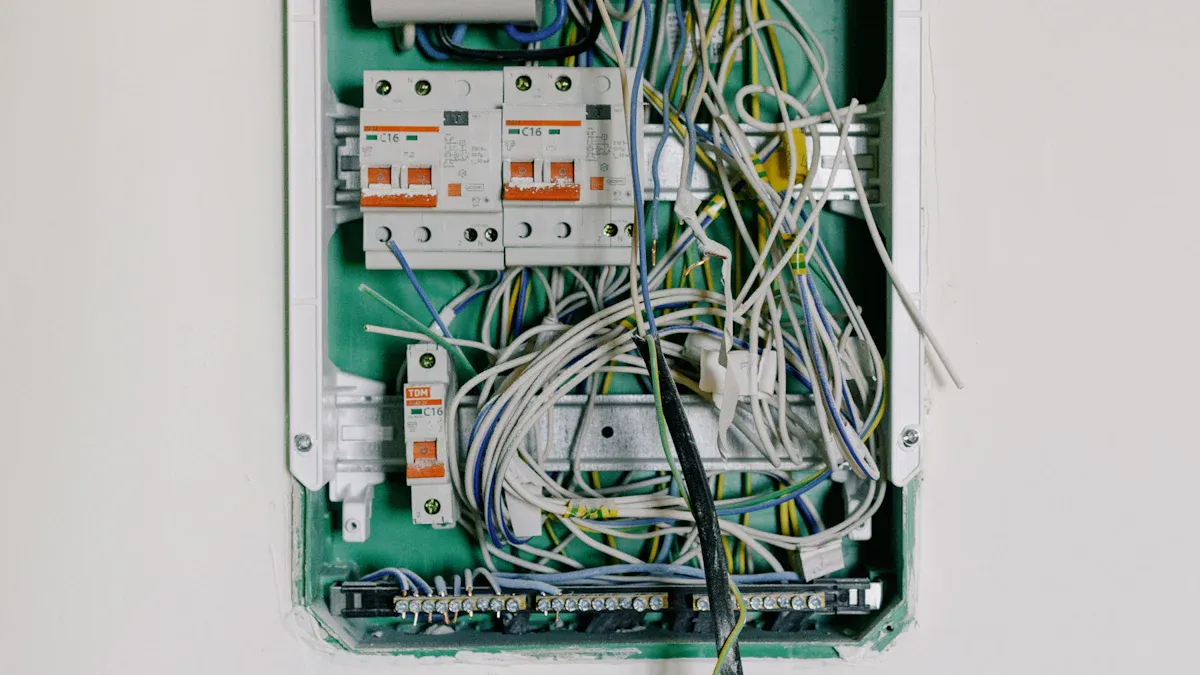
Before you start, gather all the tools and materials you need for limit switch wiring. This helps you work safely and finish the job faster. Here is a list of what you should have:
Limit switches (NO or NC, depending on your project)
3-wire limit switch (if your project needs it)
Screwdriver (flathead or Phillips, based on your switch)
Wire strippers and cutters
Electrical tape or heat shrink tubing
Multimeter for testing
Wires (red, black, and white for DC setups)
Power supply (5V to 30V DC for most switches)
Microcontroller or relay (for automation or CNC machine projects)
Mounting screws or brackets
Tip: Always turn off the power before you start wiring. This keeps you safe from electric shock.
You need to know the pinouts before you wire limit switch. Most limit switches have three main terminals:
Common (C)
Normally Open (NO)
Normally Closed (NC)
A 3-wire limit switch often uses these wire colors:
Wire Color | Function |
|---|---|
Red | Positive (VCC) |
Black | Ground (GND) |
White | Signal |
To connect your limit switch for best performance, follow these steps:
Connect the red wire to the positive terminal of your power supply.
Connect the black wire to the ground terminal.
Connect the white wire to the signal input of your microcontroller or control circuit.
Note: Always check the wiring diagram on your limit switch. Manufacturers may use different layouts.
A normally open (NO) limit switch closes the circuit when pressed. This type is common in safety and control systems, such as a CNC machine or garage door.
Follow these steps for limit switch wiring with an NO switch:
Identify the Common (C), NO, and NC terminals on your limit switch.
Connect the Common terminal to one side of your power supply.
Connect the NO terminal to your load (relay, light, or motor).
Secure the switch so the moving part of your machine will press the actuator.
Turn on the power and test the switch. When you press the actuator, the circuit should close and your load should turn on.
Safety Table:
Safety Precaution
Description
Power Off During Wiring
Always turn off power before wiring to avoid electric shock.
Direct Opening Mechanism
Use a direct opening mechanism for emergency stop circuits.
Test Under Real Conditions
Test the switch after wiring to make sure it works as expected.
Avoid Touching Terminals
Never touch terminals when power is on.
Connect Ground Terminal
Connect the ground terminal for extra safety if your switch has one.
Maintain Insulation Distance
Keep wires apart to prevent shorts.
Correct Terminal Wiring
Double-check your wiring to avoid damage to the switch or your circuit.
Tip: Use the correct wire color codes. For DC voltage, use red for positive, black for negative, and white for ground or signal. This makes troubleshooting easier.
A normally closed (NC) limit switch opens the circuit when pressed. You often use this type for emergency stop circuits or safety features in a CNC machine.
Here is how you wire limit switch with an NC contact:
Connect the Common terminal to your power supply.
Connect the NC terminal to your load or control input.
Mount the switch so the actuator will open the circuit when pressed.
Power up and test. When you press the actuator, the circuit should open and your load should turn off.
You can use an NC limit switch in an emergency stop circuit. When the switch is pressed, it cuts power to the motor or stops the variable frequency drive (VFD). You may need to set parameters on your VFD to work with the switch. Always test the system to make sure the emergency stop works.
Note: In programmable logic controller (PLC) systems, ladder logic diagrams often use NC contacts. This helps keep machines safe because the circuit breaks if a wire comes loose.
If you want to connect a 3-wire limit switch to a microcontroller like Arduino, follow this simple code and wiring:
Red wire   -> 5V on Arduino
Black wire -> GND on Arduino
White wire -> Digital input pin (e.g., D2)
You can use this code to read the switch:
const int limitSwitchPin = 2;
void setup() {
  pinMode(limitSwitchPin, INPUT);
  Serial.begin(9600);
}
void loop() {
  int state = digitalRead(limitSwitchPin);
  Serial.println(state);
  delay(100);
}
Tip: Always use the correct orientation when you wire limit switch. Mount the switch so the actuator moves freely and does not get stuck.
Limit switch wiring is a key skill for anyone working with automation, robotics, or a CNC machine. When you follow these steps, you can wire limit switch safely and make your devices last longer.
When you wire a limit switch, you might make mistakes. These mistakes can stop the limit switch from working right. The table below lists common wiring mistakes and what they mean:
Common Wiring Mistakes | Explanation |
|---|---|
Incorrect terminal connections | Check your wiring with the diagram so you do not miswire. |
Confusing phase sequence colors | If you mix up wire colors, the limit switch might not work. |
Ignoring electrical noise interference | Electrical noise can make the limit switch act weird. |
Failing to verify on-off states | Always check if the limit switch turns on and off. |
Not conducting no-load simulation tests | Test your wiring before turning on the system. |
Overlooking continuous operation observation | Watch for overheating if the switch runs for a long time. |
Neglecting safety protection confirmation | Make sure you have good grounding and safety features. |
If you connect the limit switch wires backward, the machine may not sense the switch. The machine could even move past where it should stop!
Limit switches can fail in a few ways. They might get too much electricity, get too hot, or have contacts that stick together. These problems often happen because of bad wiring or power spikes.
You should always test your limit switch after you wire it. Use these tools to help you check your work:
Tool | Function |
|---|---|
Multimeter | Measures voltage, current, and resistance. |
Continuity tester | Checks if the circuit is broken. |
Non-contact voltage detector | Lets you find voltage without touching wires. |
Here are the steps to test your limit switch:
Turn off the power before you start.
Open the panel and find the NO and NC contacts.
Set your multimeter to check for continuity.
Put the probes on the NO and Common terminals. Press the actuator. The circuit should close.
Move the probes to the NC and Common terminals. When you press the actuator, the circuit should open.
Put the limit switch back and test it while the machine is running.
Testing your limit switches helps you find wiring mistakes early. This keeps your machines safe and working well.
You can wire a limit switch by following these steps:
Learn the symbols for each limit switch and power supply.
Trace the wiring path from the power source.
Identify the NO, NC, and common terminals on the limit switch.
Understand if the limit switch activates when pressed or released.
Check voltage and current ratings.
Compare your wiring to the diagram.
Always check your connections and follow safety standards. The table below shows important safety marks:
Safety Standard | Description |
|---|---|
IP Ratings | Protects against dust and water. |
UL Listings | Meets U.S. safety rules. |
CE Markings | Follows European safety laws. |
For best results, use these quick tips:
Use heat shrink tubing on your wiring.
Clean the limit switch contacts.
Test with a multimeter.
Do not overload the limit switch.
If you want to learn more about advanced wiring, watch videos or read guides on automation with limit switches.
You can check a limit switch with a multimeter. Press the actuator on the switch. If the number on the meter changes, the switch works.
A limit switch helps you find end stops or positions. It lets you control machines and keeps them safe.
Yes, a limit switch is an electromechanical device. It has electrical and mechanical parts to sense movement or position.

 注: 建议图片大小150px*50px


